4G Speed Up Internet Browser0.1
Publisher Description
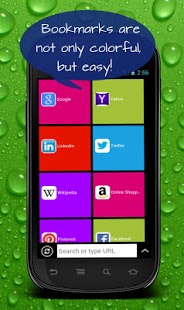
4G Speed Up Internet Browser is an extremely fast mobile browser optimized for 4G mobile communication technology standards!
4G system provides mobile ultra-broadband Internet access, using brand new technologies created specifically for fourth generation of mobile communication technology standards. That's the reason why 4G Speed Up Internet Browser gives its users fast and exciting internet surfing in social networks, heavily loaded websites with photos, videos and etc.
- Night Mode function for comfortable web browsing at night.
- Colorful and simple interface
- Your favorite websites available in one click
- Constant and modern updates
- Full privacy regime
- Translate web pages easily into any language
DISTRIBUTION: 4G Speed Up Internet Browser is super fast mobile internet browser with a great number of users across more than 139 countries and regions. This product is currently available on all major operating platforms.
About 4G Speed Up Internet Browser
The company that develops 4G Speed Up Internet Browser is Speed Up Browser Ltd.. The latest version released by its developer is 0.1. This app was rated by 3 users of our site and has an average rating of 4.7.
To install 4G Speed Up Internet Browser on your Android device, just click the green Continue To App button above to start the installation process. The app is listed on our website since 2014-07-22 and was downloaded 87 times. We have already checked if the download link is safe, however for your own protection we recommend that you scan the downloaded app with your antivirus. Your antivirus may detect the 4G Speed Up Internet Browser as malware as malware if the download link to com.www4GSpeedUpInternetBrowser is broken.
How to install 4G Speed Up Internet Browser on your Android device:
- Click on the Continue To App button on our website. This will redirect you to Google Play.
- Once the 4G Speed Up Internet Browser is shown in the Google Play listing of your Android device, you can start its download and installation. Tap on the Install button located below the search bar and to the right of the app icon.
- A pop-up window with the permissions required by 4G Speed Up Internet Browser will be shown. Click on Accept to continue the process.
- 4G Speed Up Internet Browser will be downloaded onto your device, displaying a progress. Once the download completes, the installation will start and you'll get a notification after the installation is finished.
Program Details
System requirements
Download information
Pricing
Version History
version 0.1
posted on 2014-07-22
version 0.1
posted on 2014-07-22
Several fixes and updates
